
Blog / 9 November 2026
Add a machine with one command
Copy one command from the console, paste it on a new server, and it reports itself, checks every prerequisite and waits for your approval. Built and lab-tested, coming to the console.
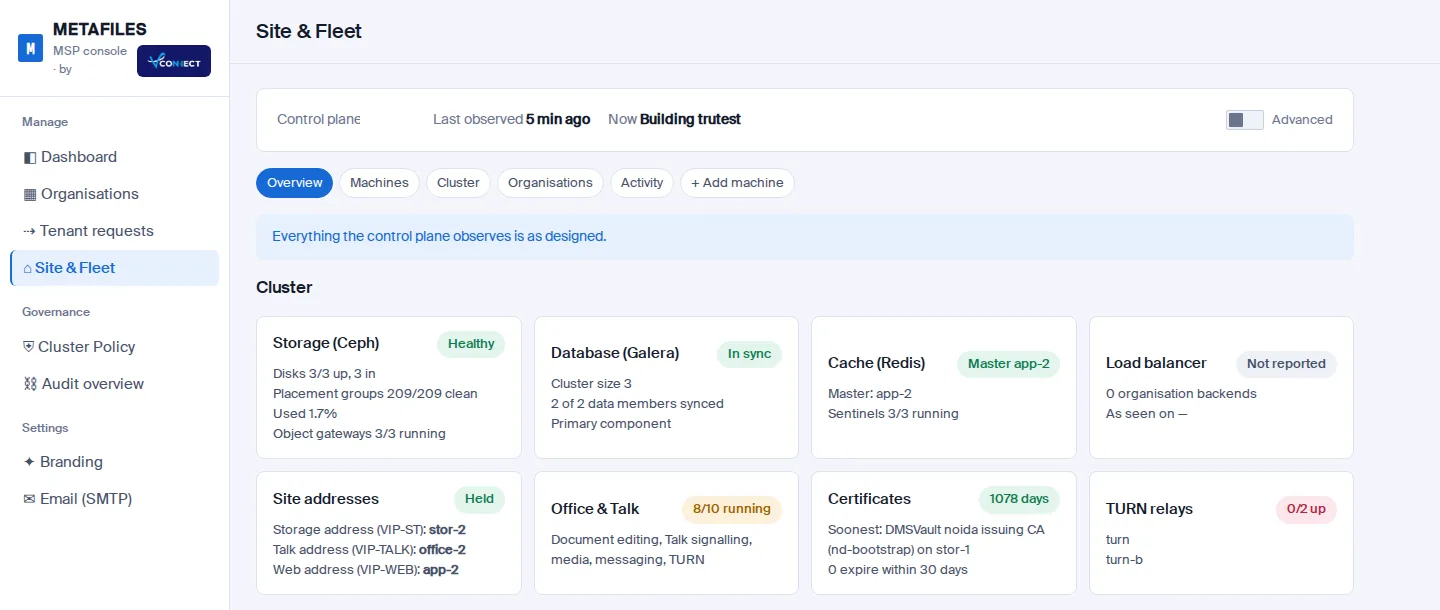
Coming: One-command enrollment is built and tested in our lab and is on its way to the MSP console. This post explains how it works.
Growing a site should not take a runbook. We looked at how proven tools join a machine to a cluster (Rancher, k3s, kubeadm, GitHub and GitLab runners, Proxmox, Ceph, Salt and Puppet) and took the best of each: a short-lived, single-use token minted on demand, and a pinned identity for the other side. The weak spot in many tools, a long-lived token sitting in a command line or a URL, is exactly what we avoided.
How it works
- In the console, open Site & Fleet, then Add machine. Pick a role (app, office, storage or spare) and a name. The page lists the prerequisites for that role.
- Press "Make the enrollment command". The console shows one command. Its token is single-use, expires after 30 minutes, is stored only as a hash, and is never part of a URL.
- Paste it on the new server as an administrator. The command downloads the enrollment script over HTTPS and checks its SHA-256 before running it.
- The script checks every prerequisite and prints PASS or FAIL for each one. If anything fails, it changes nothing, and you can fix the problem and run the same command again until the token expires.
- When everything passes, it prepares the deploy access, joins the site's private network if needed, and reports the machine's facts and its SSH host key.
- The machine appears in the console as "Enrolled, ready to onboard", with its size, operating system and the host-key fingerprint the engine computed itself. From there, the normal pre-flight and onboarding steps run with nothing typed by hand.
The prerequisites
| Role | CPUs | Memory | Disk |
|---|---|---|---|
| App | 8 | 30 GB | 190 GB |
| Office | 8 | 15 GB | 90 GB |
| Storage | 8 | 30 GB | 90 GB, plus a clean extra disk of 50 GB or more |
| Spare | 2 | 4 GB | 40 GB |
Also: Ubuntu 24.04 or 22.04 (64-bit) with python3 and an SSH server, an ed25519 host key, time sync, outbound HTTPS, the role's ports free, and no conflicting web, database or container service already running. Nothing has to reach the machine from the internet.
Security, in short
- HTTPS only, and the script itself is checked by SHA-256.
- The token is single-use, expires, is stored hashed, never appears in a log, a URL or a process list, and every step is audited without it.
- Repeated bad attempts trip a brake, and the edge rate-limits the enrollment routes per client address.
- The host key is pinned from the authenticated report, so the site never trusts a key on first sight.
- The only way in afterwards is SSH from the site's control plane, with forwarding disabled.
What we tested
In the lab, a throw-away Ubuntu 24.04 machine ran the console's command against the real engine and the real control-plane agent. The first run failed two checks and changed nothing; the fixed run enrolled; a third run with the same token was refused. The console showed the machine's real fingerprint, the token appeared nowhere, and a login with any other host key was rejected.
Today, Site & Fleet already lets operators add a spare machine with a pre-flight check. One-command enrollment makes that a single paste.