
METAFILES by V-Connect
Secure file sharing for every organisation you look after
Each customer gets its own branded METAFILES portal, desktop and mobile apps, online Office and Talk, on DMSVault's own encrypting storage engine. You run them all from one MSP console.
- Its own encryption key per organisation
- Three copies of every file
- Isolation tested on every build
One platform, three kinds of people
METAFILES is a multi-tenant file-sharing cloud. A managed service provider (MSP) runs it, every customer organisation gets a portal of its own, and people simply use their files: in the browser, in Explorer or Finder, or on their phone.
People who use it
Sync folders to every desktop, open files on demand from a cloud drive, share with a password-protected link, edit documents in the browser and call colleagues in Talk.
Customer admins
Add users and groups, require two-factor sign-in, set sharing rules and retention, and brand the portal, inside the limits the MSP sets for the organisation.
MSPs and partners
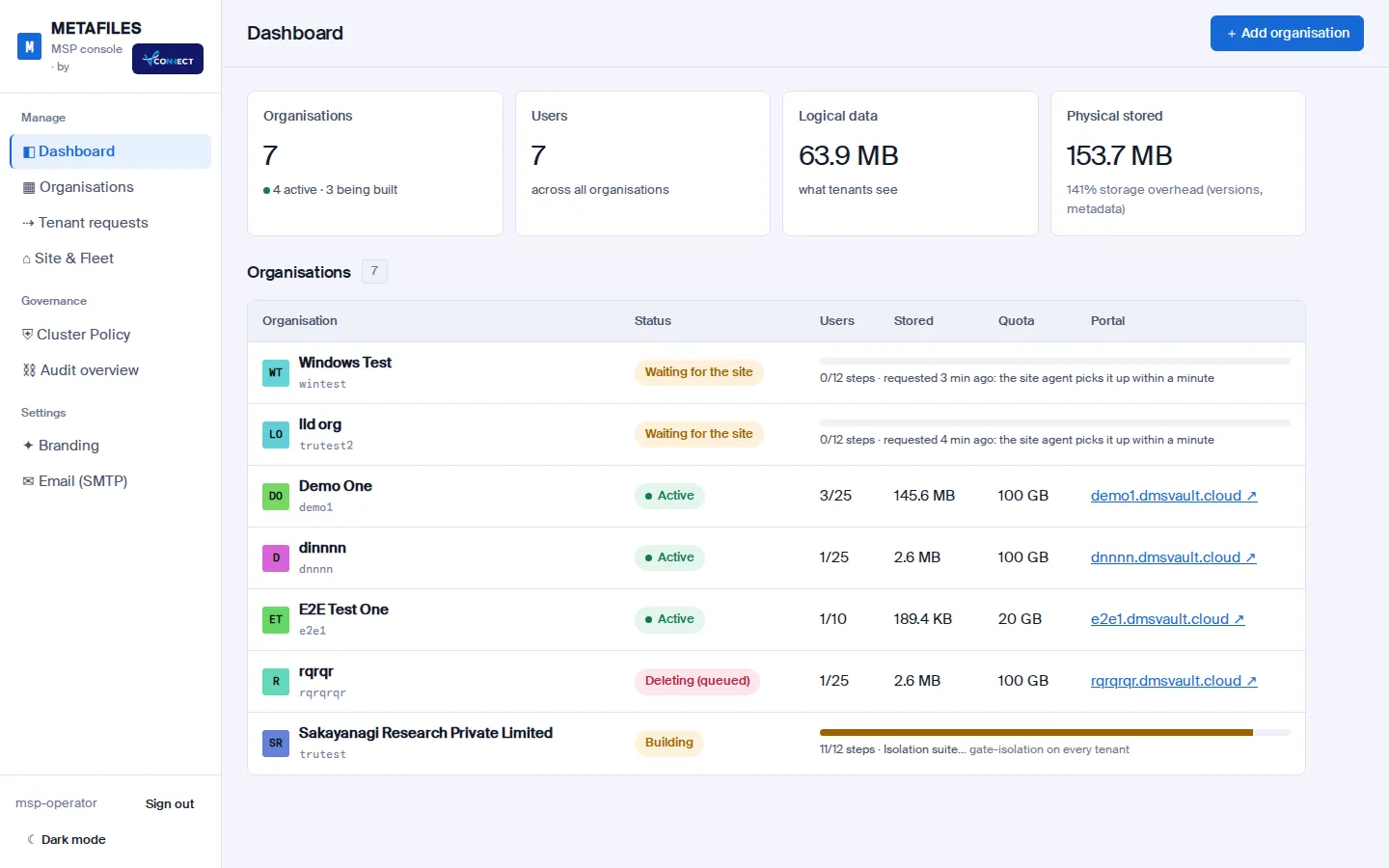
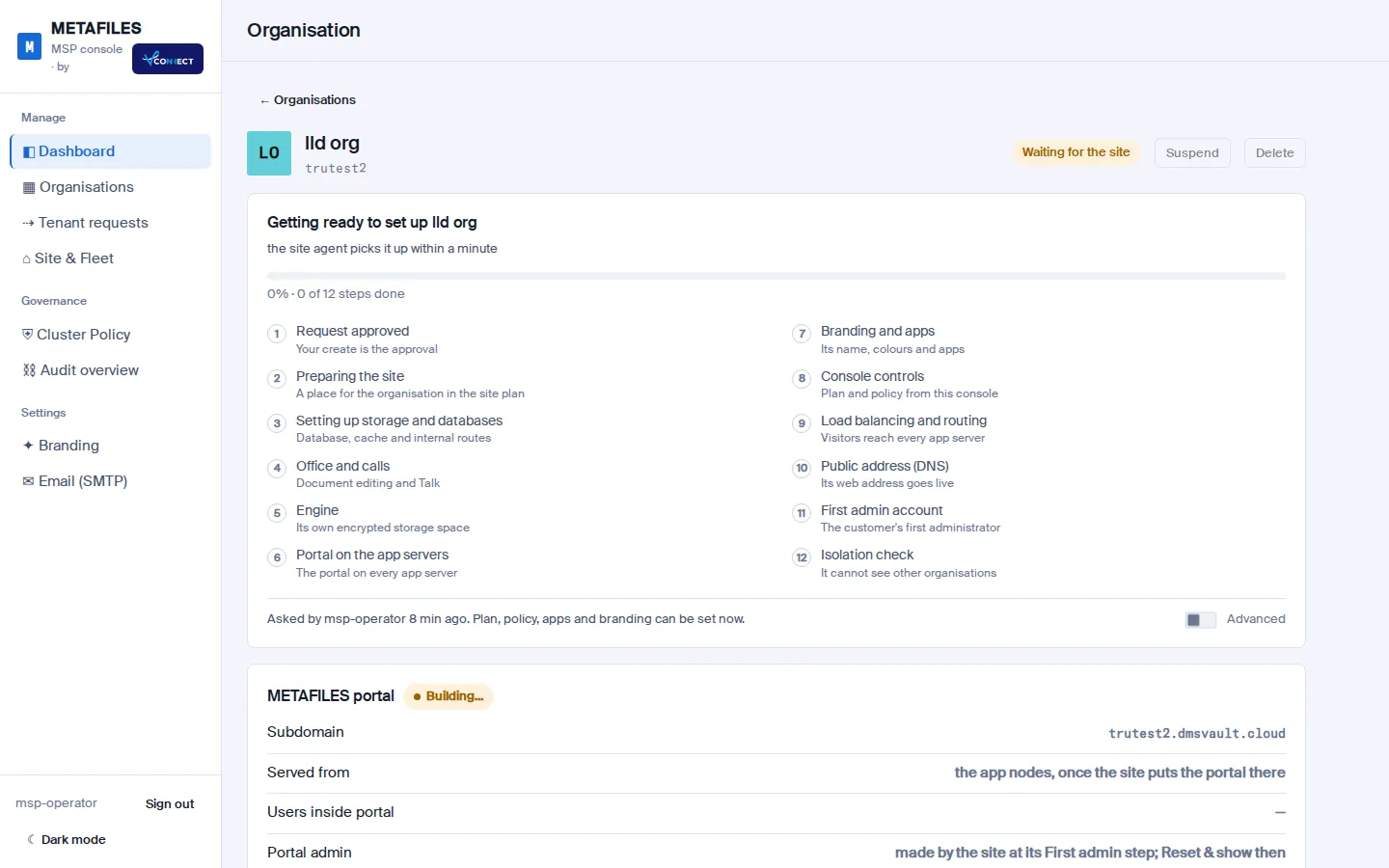
Create an organisation in one form and watch it build itself: storage, portal, Office, routing, public address, first admin and an isolation check. Then control every policy from one console.
Everything a business needs from its files
The tools people already know, run privately for each organisation, with the protections an MSP can stand behind.
Sync on every desktop
Two-way folder sync on Windows, macOS and Linux, "Send to METAFILES" in the right-click menu, and on Windows virtual files that download only when opened.
Cloud drive
On Windows, the METAFILES Drive shows every file as a drive letter and streams it on demand, so a laptop never has to hold the whole library.
Office in the browser
Open and co-edit documents, spreadsheets and presentations right in the portal. Nothing to install.
Talk
Chat, audio and video calls inside the organisation, relayed so they work for people working from home too.
Sharing with guard rails
Share with colleagues and groups, or by link with a password and an expiry date by default. Sharing with other servers stays off so organisations stay apart.
Encrypted with your own key
The storage engine encrypts and compresses every chunk with the organisation's own key, wherever the data is stored.
Ransomware protection
A sudden wave of changes trips the engine's guard: the organisation is held, and the MSP can release it or roll back to a restore point.
WORM and legal hold
WORM-capable organisations get their own object-lock storage, so files can be made immutable and placed under legal hold.
Versions, trash and backups
Earlier versions and deleted files are kept by policy, and a daily backup of every organisation goes to a separate, delete-proof bucket.
Multi-tenant MSP console
Organisations, seats and quotas, security and sharing policy, branding, users, suspend and delete, and a tamper-evident audit log, for every customer in one place.
Fleet control and high availability
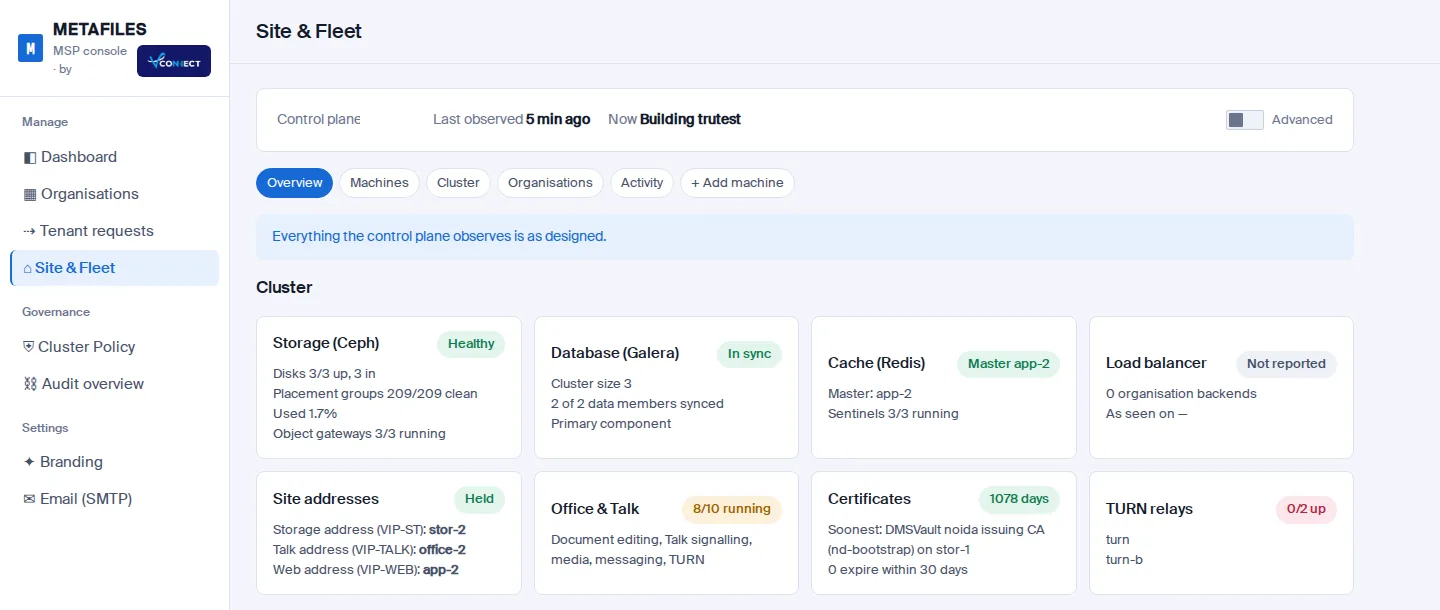
Every service runs on at least two servers and storage keeps three copies. Site & Fleet shows the health of the whole site and lets operators act on it with approvals.
Storage of your choice
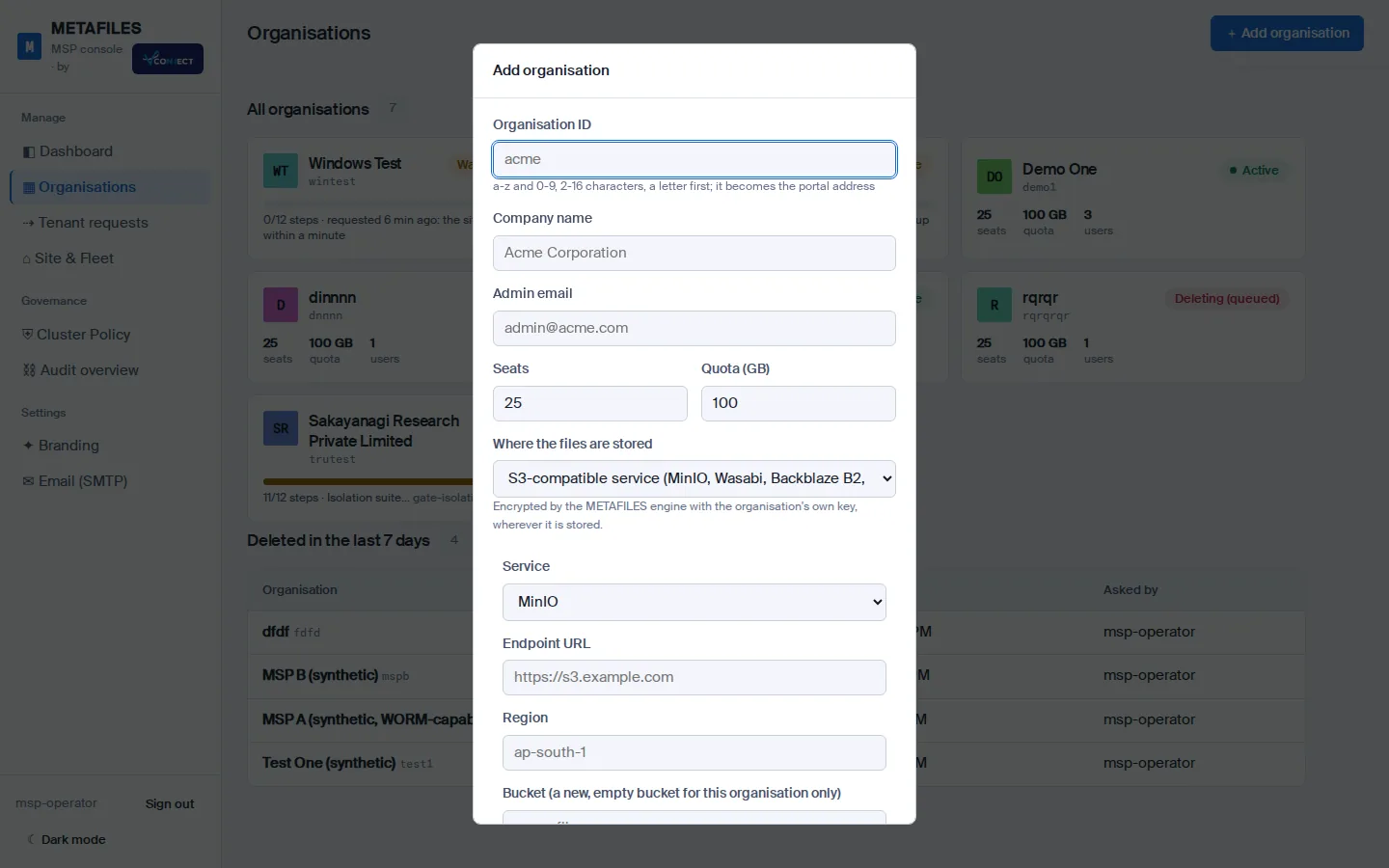
Keep an organisation's files on the site's own storage, on Amazon S3, on an S3-compatible service, or on the customer's own S3 server.
For everyone
Files where people already work
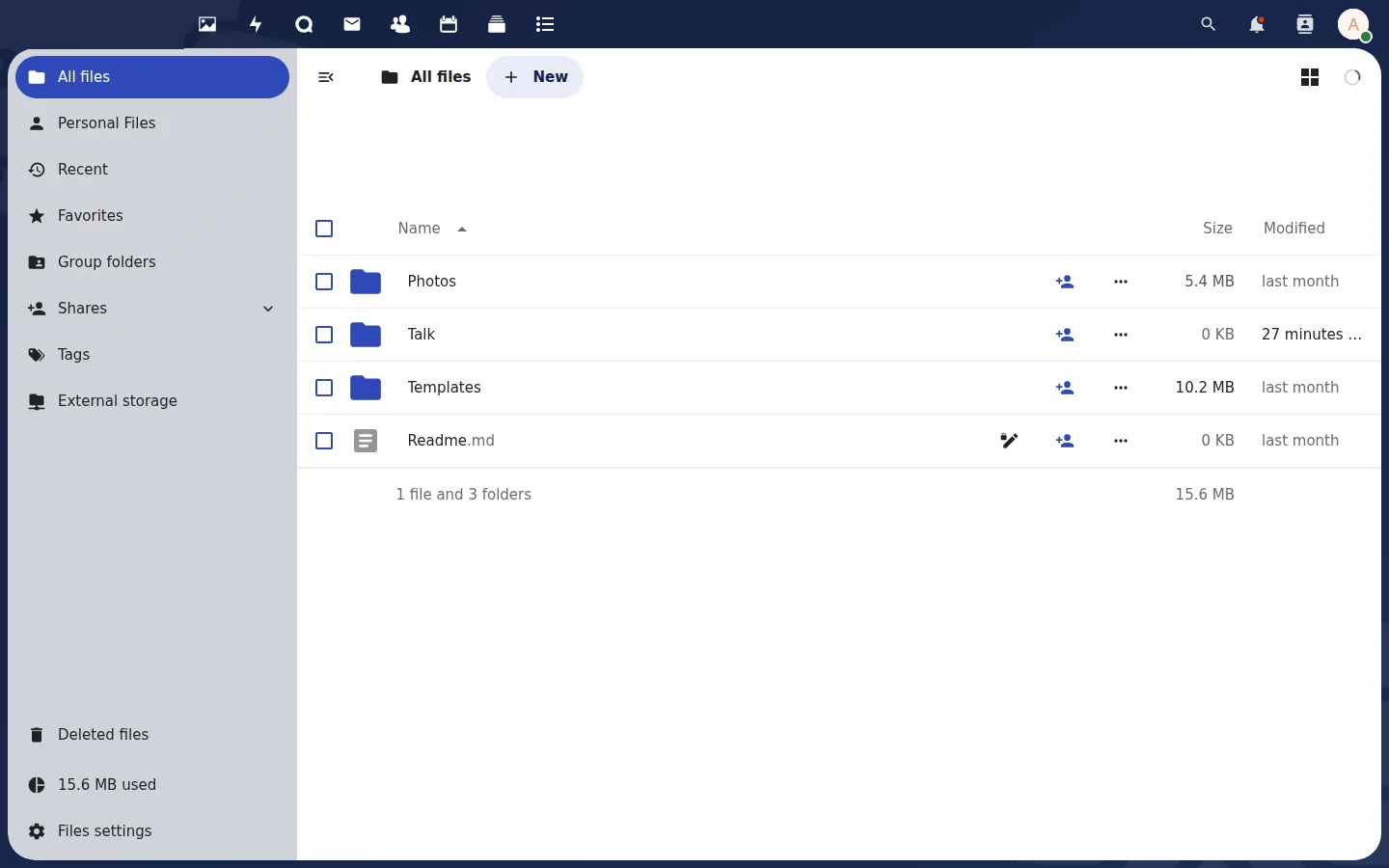
The web portal works in any browser. The desktop app adds a synced METAFILES folder, the cloud drive and right-click actions in Explorer: send a file to any METAFILES folder, sync a folder you already have, or share straight from the desktop.
- Sign in through the browser, with two-factor when your organisation requires it
- Deleted files and earlier versions are one click away
- Your organisation's own name, colours and logo
Security
Separate by design, checked every time
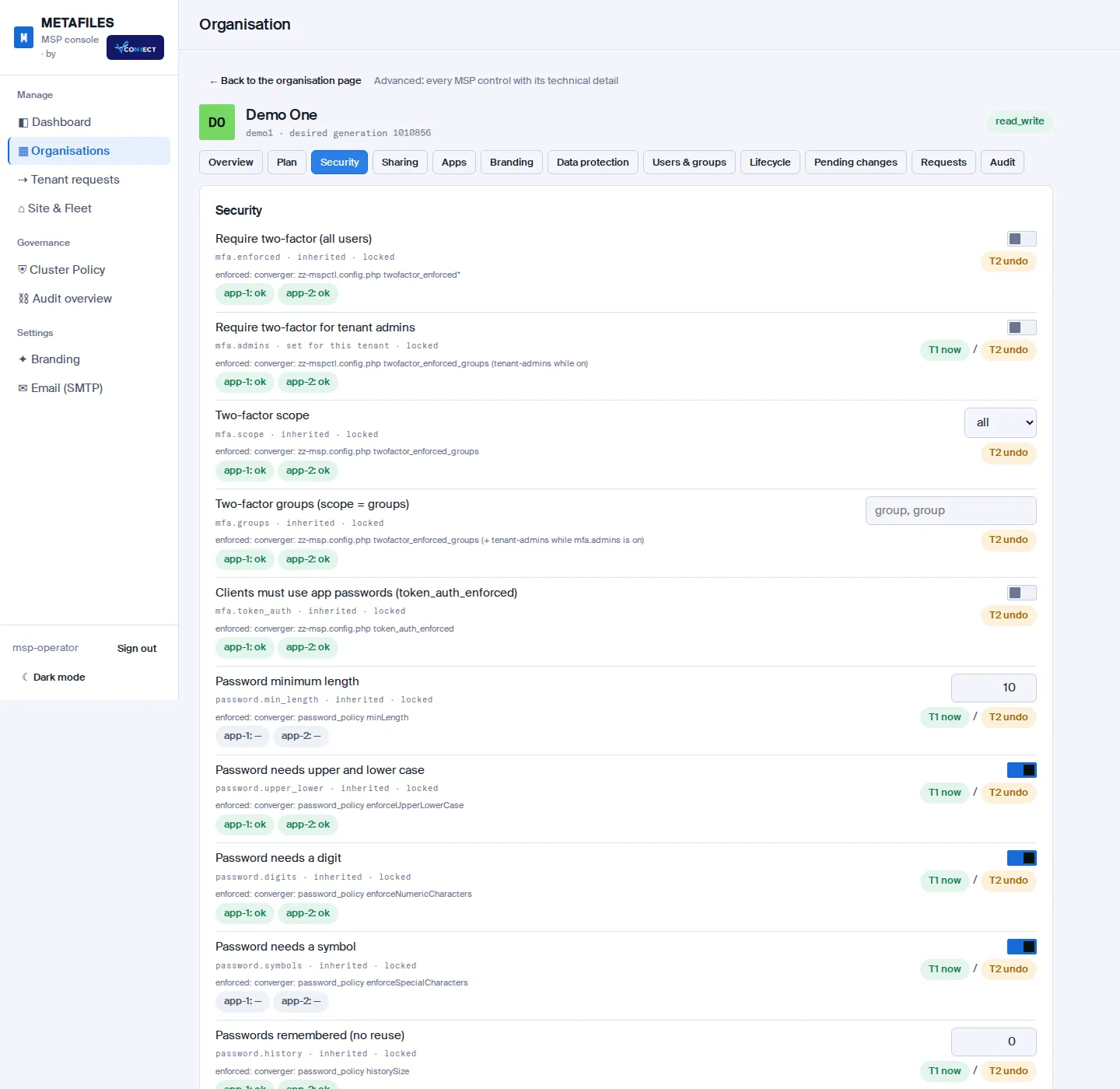
Each organisation has its own encryption key, storage area and credential, its own database and cache, its own portal and its own public address. MSP controls are enforced on the server, not just shown in a form.
- An isolation suite runs as the last step of every organisation build: storage, database, cache, network, sign-in, Office and Talk
- Risky changes wait in an undo window; the most serious ones need a second operator
- Every console action lands in a tamper-evident audit trail
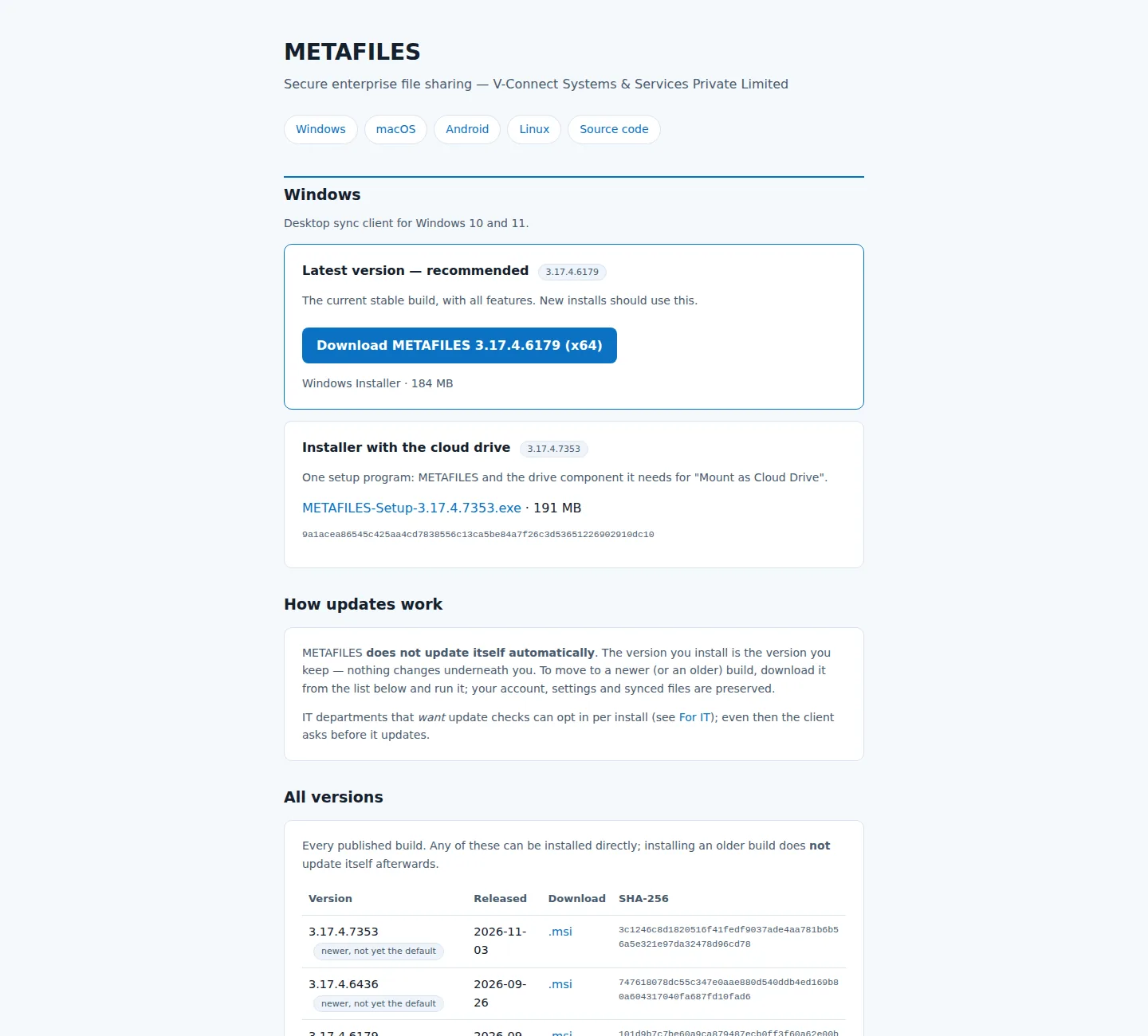
- Desktop installers are signed, and every download lists its SHA-256
How a site fits together
A site is a small cluster of servers in tiers. Nothing in it is reachable from the internet except through the edge, and a control plane builds and watches it from code.
For MSPs
Add an organisation. Watch it build.
Fill in one form: the organisation's ID and name, seats and quota, where its files live, and whether it needs WORM. The site builds it in twelve visible steps and ends with an isolation check, then hands you the first admin's password once.
- Suspend, activate and delete with undo windows and typed confirmations
- Per-organisation policy: two-factor, sharing, apps, retention, branding
- Light and dark mode, works on a phone
Clients
METAFILES on every desktop
Download the apps from the METAFILES download site. Every file lists its version, release date and SHA-256, and IT can deploy the Windows installer silently by Group Policy or Intune.
From the blog
 9 November 2026Add a machine with one commandCopy one command from the console, paste it on a new server, and it reports itself, checks every prerequisite and waits for your approval. Built and lab-tested, coming to the console.
 6 November 2026Your files, your storage: per-customer storage targetsChoose for each organisation where its files live, from the site's own storage to the customer's own S3 server. The engine still encrypts every byte.6 November 2026Fleet control for MSPsSite & Fleet shows the health of every server, service and organisation on a site, and lets operators act on it with approvals and undo windows.
Questions people ask
Can one organisation see another's files?
No. Every organisation has its own encryption key, storage area, credential, database, cache and portal, and an isolation suite proves the separation at the end of every organisation build.
Where are my files stored?
On the site's own storage with three copies by default. Your MSP can instead place an organisation on Amazon S3, an S3-compatible service or your own S3 server; the engine encrypts the data with your organisation's key either way.
What address do I type in the app?
Your organisation's address, in the form https://<organisation>.dmsvault.cloud. Your admin or MSP gives it to you with your account.
Is there an iPhone app?
Not yet. Android, Windows, macOS and Linux apps are available, and the web portal works in any browser, including on iPhone.
What happens if a server fails?
Every service runs on at least two servers and storage keeps three copies, so the site carries on while the failed server is repaired.
Who decides the security settings?
Your MSP sets the floor for your organisation (for example two-factor or link rules); your admins can tighten settings further inside the portal.
Talk to V-Connect
Want METAFILES for your organisation, or to offer it to your customers? V-Connect runs the service and onboards partners.