
Office and Talk
Edit documents together in the browser and hold chats and calls with Talk; both are shared services your MSP switches on.
METAFILES includes an online office editor, so documents open and edit right in the browser, and Talk for chat, calls and screen sharing. Both run as shared services for every organisation on the platform. Your MSP switches them on or off for your organisation; you mainly need to know how users use them, and what not to change.
1. Office documents
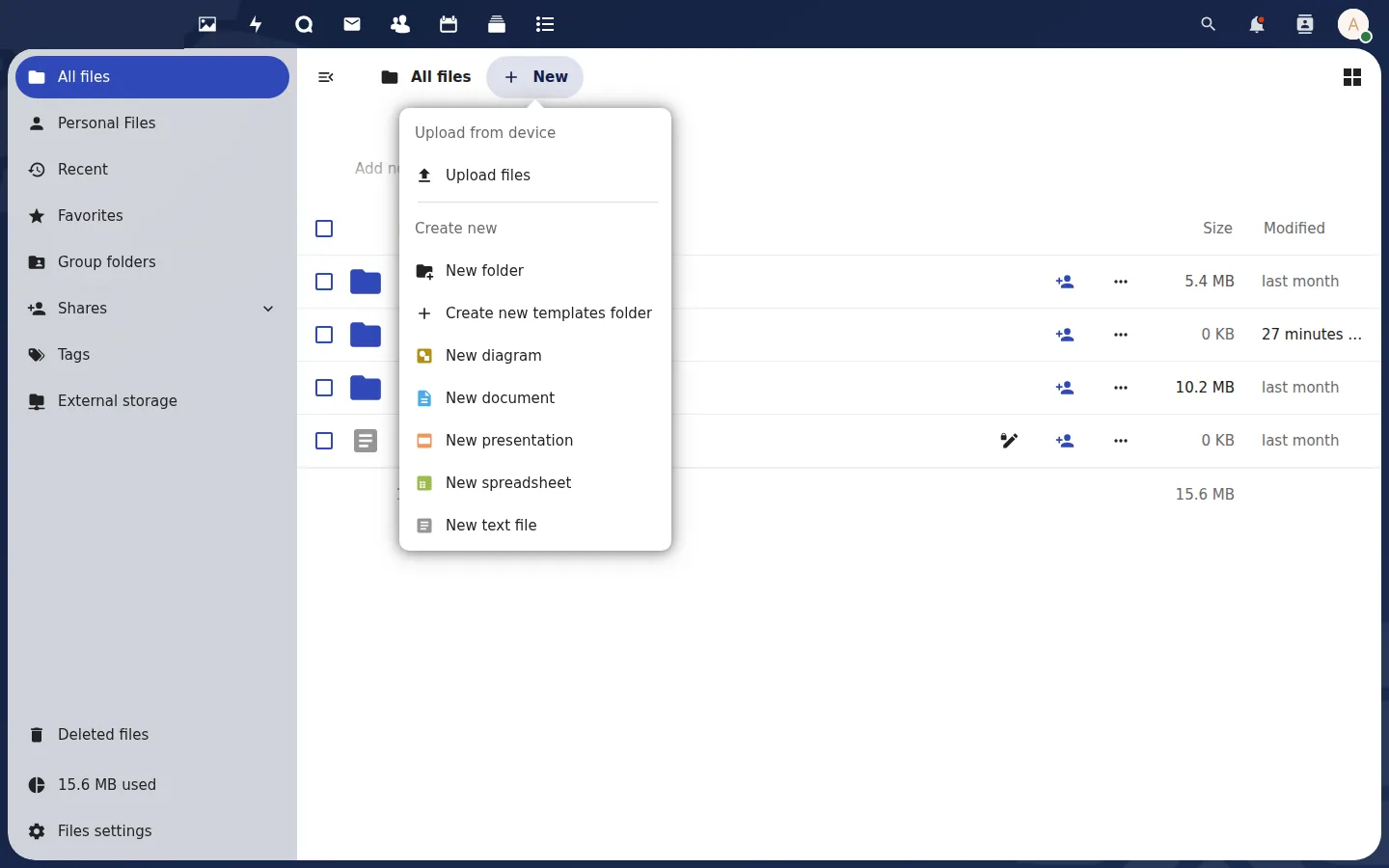 Create a new document, spreadsheet or presentation straight from Files.
For your users
- In Files, click a Word, Excel or PowerPoint file (
.docx,.xlsx,.pptx) or an OpenDocument file. It opens in the editor in the browser. - Several people can edit the same document at the same time.
- Close it with the X at the top right. Changes are saved automatically.
A new document: Files → + New → New document / New spreadsheet / New presentation.
For you
- Administration settings → Office shows the editor's server address. Do not change it. It is set by the platform, and the editor only works with the platform's own portals.
- If documents do not open in a new organisation, tell your MSP.
- "Edit locally" links on the web page do not open the METAFILES desktop apps. Open the file from the synced METAFILES folder instead.
2. Talk: chat and calls
For your users
- Click the Talk icon in the top bar.
- Click + to create a conversation and add people from your organisation.
- Start a call with the camera or phone icon. Screen sharing is in the call toolbar.
- Windows users also see Talk messages and calls in the METAFILES tray panel.
How calls connect
Calls first try a direct connection between participants. When an office firewall or network blocks that, the media travels through the platform's relay servers instead, which accept connections on port 443 (the normal HTTPS port) as well as port 3478. Larger calls go through the platform's call server, so they are not limited to the few people a direct mesh can carry.
If calls fail on a strict company network, allow outbound connections on port 443 and port 3478 (UDP and TCP); your MSP can give you the exact addresses.
For you
- Administration settings → Talk shows the call servers and a shared secret. Do not change anything on this page, and do not copy the secret. It is shared by every organisation on the platform, and the platform puts the correct values back.
- Public conversations with guests (people without an account joining by link) are off by default.
- Call recording and telephone dial-in are not available.
3. Other apps
Your MSP chooses which of these are switched on for your organisation: Office, Talk, calendar, contacts, mail, deck, forms, team folders and connected storage. Switching an app off hides it; it never deletes its data. Connected (external) storage is off by default.
Desktop apps notice changes made on the server within about 30 seconds.