
Storage
Where an organisation's files live, from the site's own three-copy storage to Amazon S3, S3-compatible services or the customer's own server, always encrypted by the engine.
When an MSP creates an organisation, it chooses where that organisation's files are stored. Whatever the choice, the rule is the same: the engine owns the data. The store is only the engine's backend. Nothing writes to it directly, and the engine encrypts and compresses every chunk with the organisation's own key before it lands there. A customer's bucket only ever holds encrypted data.
The options
| Option | What it is | What the MSP enters |
|---|---|---|
| This site's storage (default) | The site's own Ceph cluster: three copies on three storage servers, on encrypted disks | Nothing |
| Amazon S3 | A new, empty bucket in Amazon S3 | Region, bucket, access key and secret key; optional server-side encryption (S3-managed or KMS, with an optional key ID) and Object Lock |
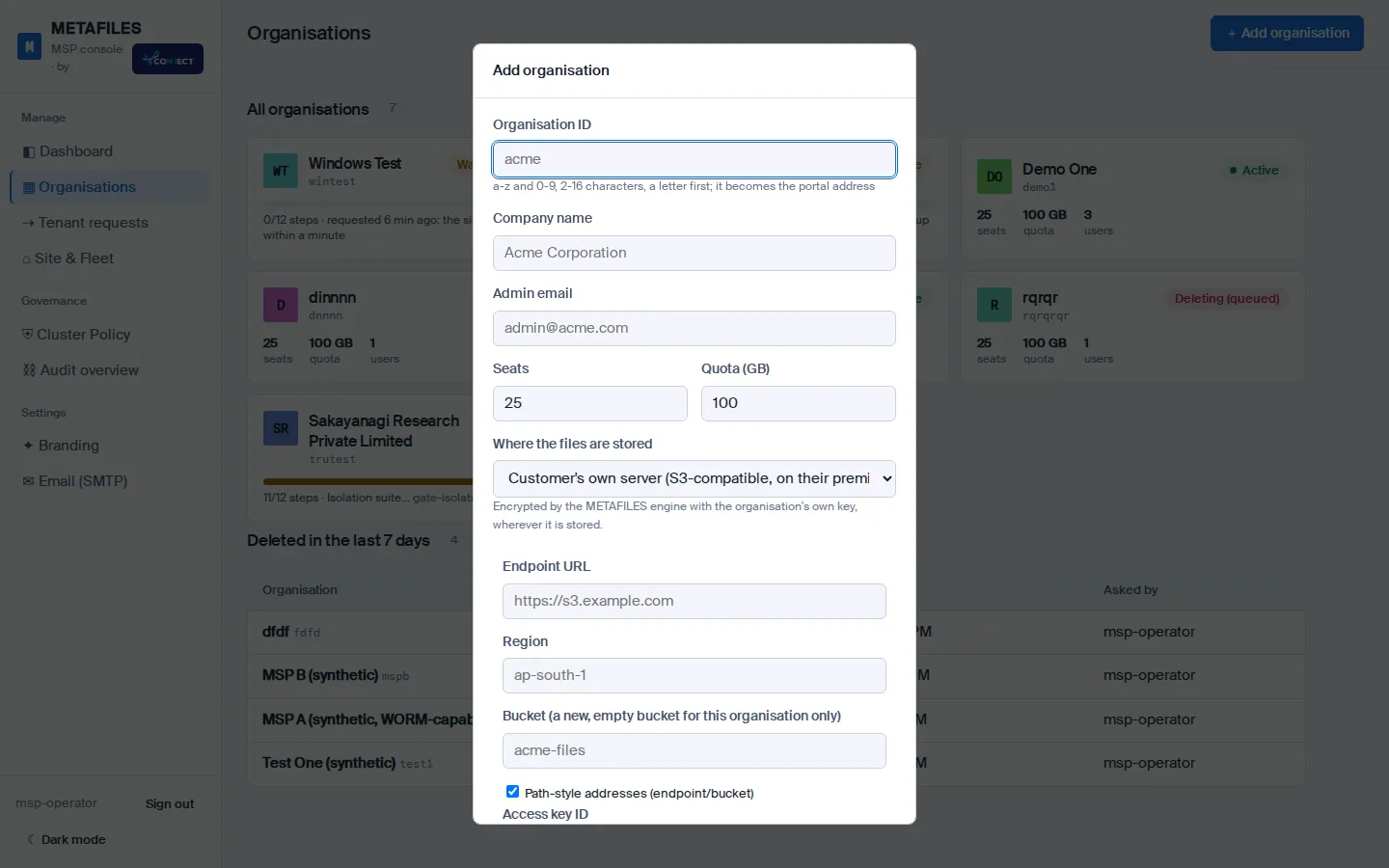
| S3-compatible service | MinIO, Wasabi, Backblaze B2, Cloudflare R2, Google Cloud Storage (with HMAC keys), Ceph or another S3-compatible service | Service, endpoint, region, bucket, path-style addressing, keys, optional server-side encryption and Object Lock, and an optional private certificate authority |
| Customer's own server | An S3-compatible server at the customer's premises, such as MinIO, Ceph or a NAS with an S3 service | As for S3-compatible, plus a note on how it is reached (for example over a site-to-site VPN). It must stay reachable from the site's app servers. |
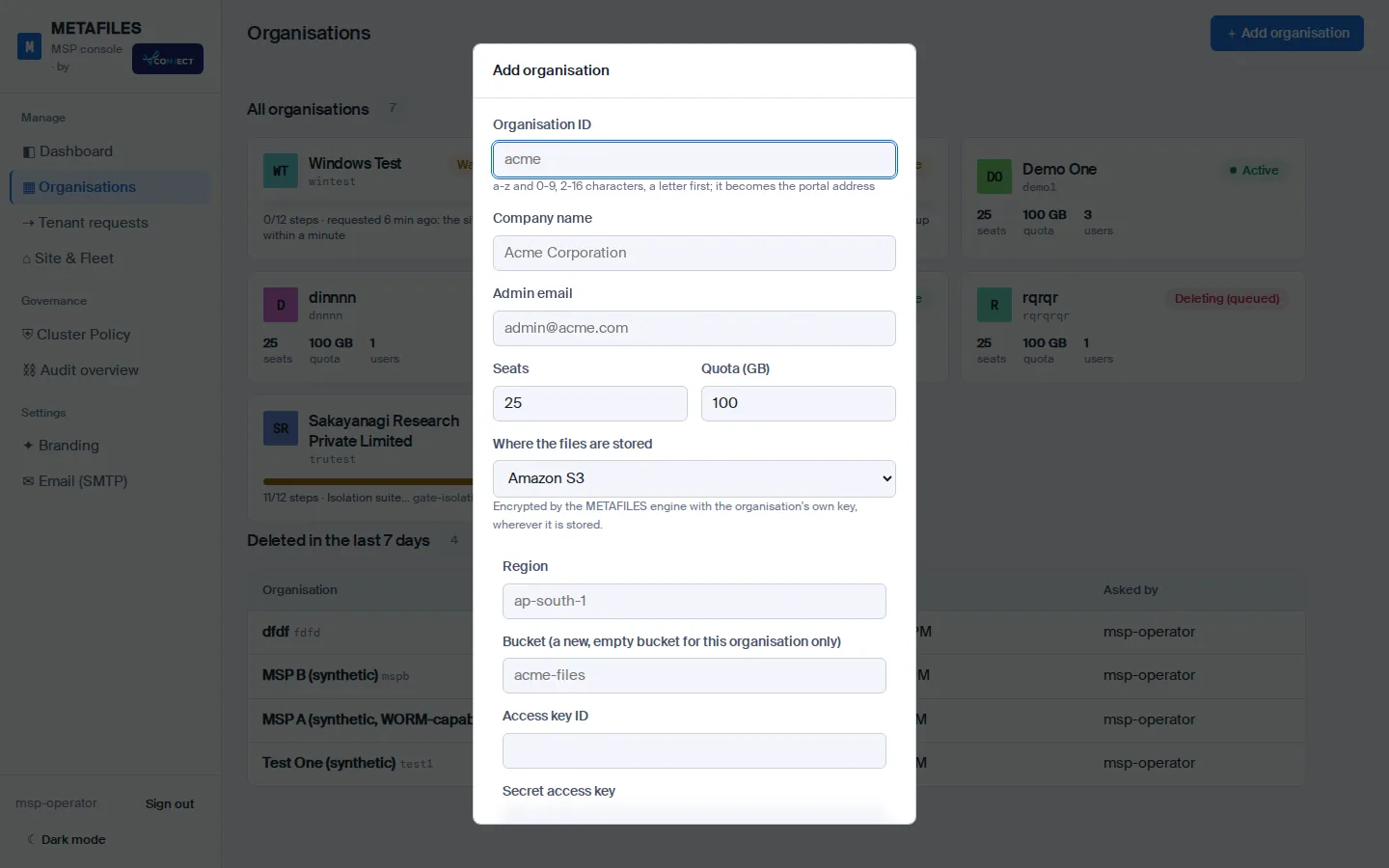
Not offered: NFS or SMB shares (a NAS should use its S3 service and the "customer's own server" option instead), and Azure Blob storage, which has no S3 interface.
Test connection
Before the organisation is created, Test connection checks the store from the engine, within 20 seconds:
- The address is allowed (see below).
- The bucket holds no engine data yet.
- A small test object can be written...
- ...read back and compared...
- ...and deleted by version. The store must support versioned listing.
- If Object Lock was ticked, the bucket's lock settings are read.
Each step reports the store's own message and a hint. Create runs the same check again and refuses if it fails.
How the keys and connections are protected
- The access key is sent once. It is held by the engine only until the site takes it over, then kept with the organisation's other secrets. It never appears in code repositories, command lines, logs, the request, the approval record or any console answer.
- HTTPS only. Certificate checks cannot be switched off; a private certificate authority can be added for a customer's own server.
- Address guards. Loopback, link-local and cloud metadata addresses, shared address space and the site's own servers are always refused. Private network ranges are refused unless the site explicitly allows them, for example for a customer's VPN.
- One bucket, one organisation. A bucket already used by another organisation, or one that already holds engine data, is refused.
WORM on an external store
A WORM-capable organisation on Amazon S3 or another service needs Object Lock on its bucket, and the connection test checks it. Google Cloud Storage has no Object Lock, so a WORM-capable organisation cannot use it.
Good to know
- The choice is fixed when the organisation is created.
- If a customer's store goes down, only that organisation is affected.
- Backups of an organisation on its own store are still copied to the site's backup store, so a copy of its encrypted data also lives on the site. Tell your customer.
- Deleting an organisation that uses its own store destroys its encryption key, so the data left behind can no longer be read. The delete does not empty the customer's bucket.
Coming: moving an existing organisation to another store, and changing a customer store's access key from the console.
Deduplication and what is counted
The engine stores identical chunks only once and compresses them, so what it stores can be smaller than what users see. The console shows both: logical data (the total size of users' files) and physical stored (what the engine stores, including versions and metadata), and the ratio between them. Quotas are set on the logical size.