
METAFILES for Android
Download the METAFILES app from the download page on an Android 9 or newer phone, check its signature and sign in.
METAFILES for Android lets you browse, open, upload and share your files from your phone, keep chosen files available offline, and upload photos and videos automatically. The app is installed straight from the METAFILES download page rather than from the Play Store.
Note: There is no iPhone or iPad app. On those devices, use the web portal in the browser.
1. What you need
| Need | Detail |
|---|---|
| Android 9.0 or newer | |
| Permission to install apps from your browser or Files app | The app does not come from the Play Store. |
| Your server address | https://<organisation>.dmsvault.cloud |
2. Download and check
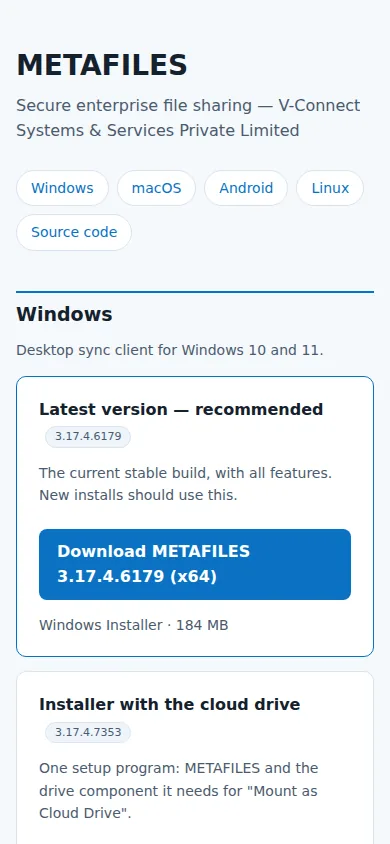
- On the phone, open https://dl.dmsvault.cloud/metafiles/ → Android → download the newest
.apk(about 96 MB). - The page shows the file's SHA-256, and the signing certificate fingerprint, which is the same for every genuine METAFILES build:
61:9F:86:60:14:49:7B:11:93:65:72:DD:37:50:C2:F9:F3:AD:B5:D2:D9:15:97:69:77:04:D3:E3:70:C5:8F:52
IT staff can check it on a computer with apksigner verify --print-certs METAFILES-35.0.0.<build>-android-release.apk.
3. Install
- Open the downloaded
.apkon the phone. - Android asks you to allow installs from the app you used (Files or your browser). Allow it. This is normal for an app not from the Play Store.
- Play Protect may say the developer is unknown. This is expected: the app is signed with V-Connect's own key.
- Tap Install, then Open.
Updating: install the newer .apk over the old one. It installs as an update because it carries the same signing key.
4. Sign in
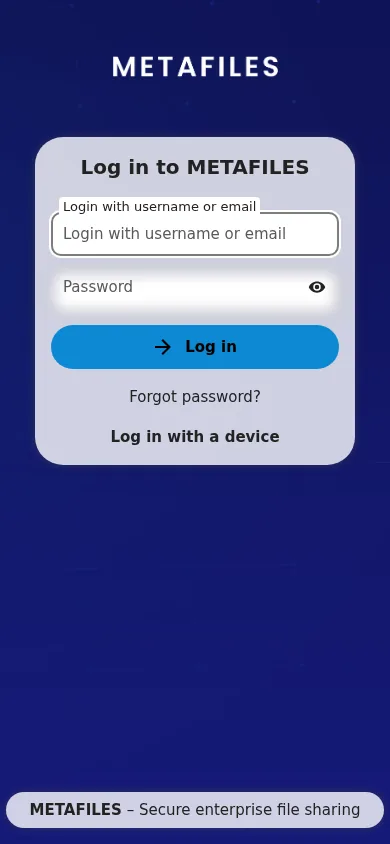
- Tap Log in.
- Type
https://<organisation>.dmsvault.cloud. - The sign-in page opens: sign in (with your second factor if your organisation uses one) and tap Grant access. The app keeps its own app password.
5. What you get
- Browse and open your files.
- Upload and share.
- Keep files and folders available offline.
- Search.
- Auto Upload of photos and videos.
- More than one account.
- Lock the app with your fingerprint or a PIN.
6. Good to know
| Topic | Detail |
|---|---|
| No push notifications | The app checks for news when it runs, so notifications arrive when it next checks rather than instantly. |
| Battery optimisation | Android may limit the app's background work, for example Auto Upload. The app tells you when this happens, and you can exempt METAFILES in Android's battery settings. |
7. Uninstall
Long-press the METAFILES icon → Uninstall (or Settings → Apps → METAFILES → Uninstall). Then revoke the phone in the web portal: Personal settings → Security → Devices & sessions.